Accessing Your New Smart Unit
Download the KISS Access App. Your phone is your key. Access your storage unit with a simple tap, no more keys to lose or codes to forget.

Getting Started is Easy
Three simple steps and you're ready to access your storage unit.
Download the App
Download the KISS Access App from the App Store or Google Play. It's free and takes just a minute to set up.
Log In & Tap to Unlock
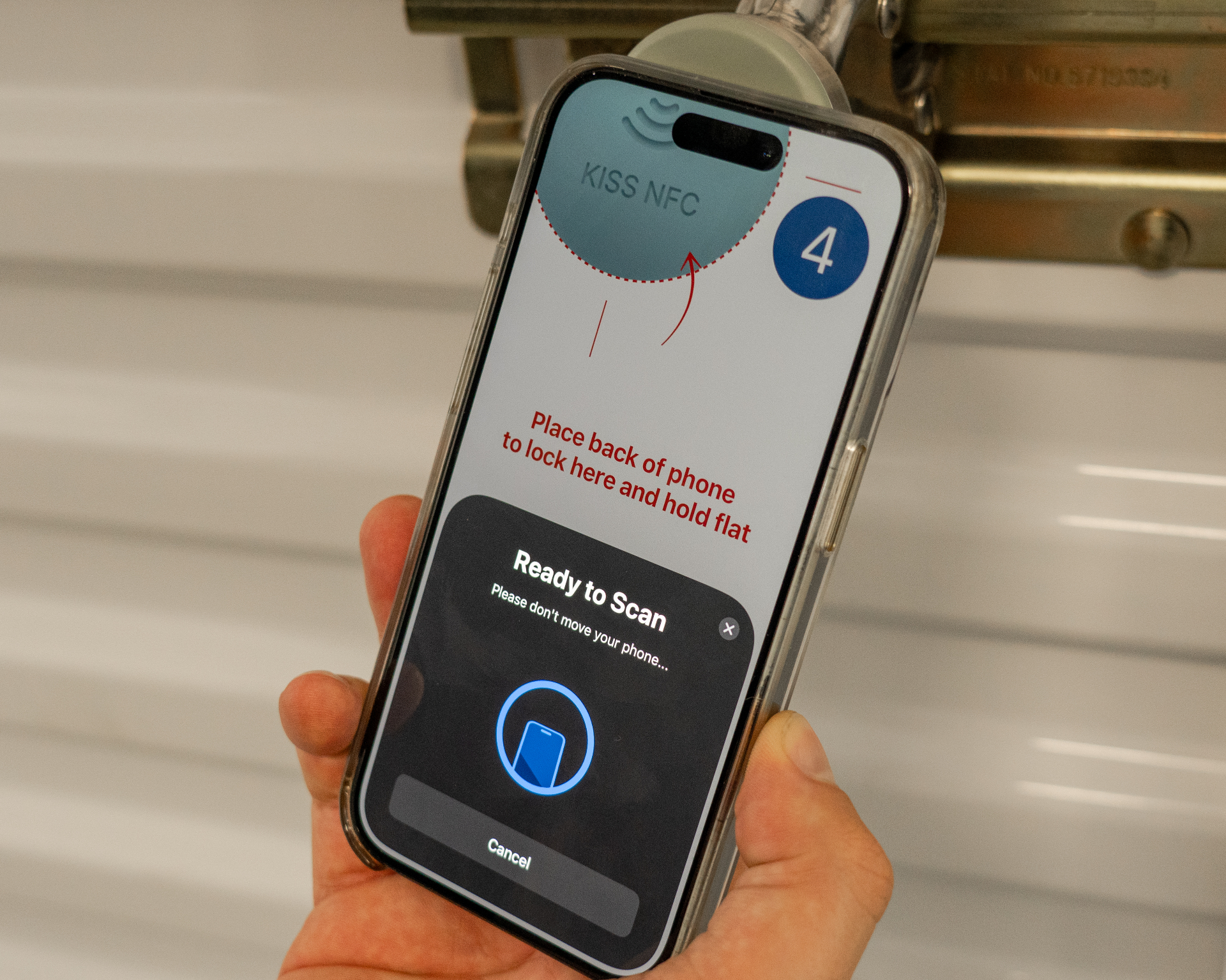
Open the app, log in with your credentials, and simply tap your phone to the lock. That's it, you're in!
Tap to Lock
When you're done, tap again to lock. Every interaction is logged in the app for your peace of mind.
Watch the Tutorial
See how easy it is to use KISS to access your storage unit.
Smart Lock Features
KISS gives you more than your average lock.
Controlled with an App
Manage your storage unit access right from your smartphone.
Share Access Remotely
Need someone to access your unit? Share temporary access via text message.
Timed Access Sharing
Set time limits on shared access for added security and control.
No Keys to Lose
Your phone is your key. No more worrying about losing keys or forgetting codes.
Move-In/Move-Out Anytime
No need to wait on staff to move in or out of your unit, access on your schedule, 24/7.
Pay from Your Phone
Quickly pay your rent right from your smartphone, no more paper invoices or unnecessary office visits.
Frequently Asked Questions
Got questions? We've got answers.
What if my phone dies?
If your phone battery dies, you won't be able to unlock until it's charged. We recommend keeping your phone charged before visiting your unit. In an emergency, contact facility management for assistance.
Do I need WiFi or cellular service to unlock?
No! KISS uses NFC technology, which works offline. You just need to have the app installed and be logged in, no internet connection required at the lock.
Can I share access with family members?
Yes! You can share temporary or permanent access with anyone via the app. They'll receive a text message with instructions to download the app and access your unit.
Is my data secure?
Absolutely. KISS uses bank-level encryption to protect your data. Every access event is logged and can only be viewed by you and the facility operator.
What phones are compatible?
KISS works with most modern smartphones that have NFC capability. This includes iPhone 7 and newer, and most Android phones from 2018 onwards.
Need Help with Your Lock?
Our tenant support team is available 24/7 to help you with any lock issues. Call the number on your lock or contact your facility manager.